
People
On the Team page: everyone in the team, how many users your licence covers (“5 of 7 users”), and Invite someone.
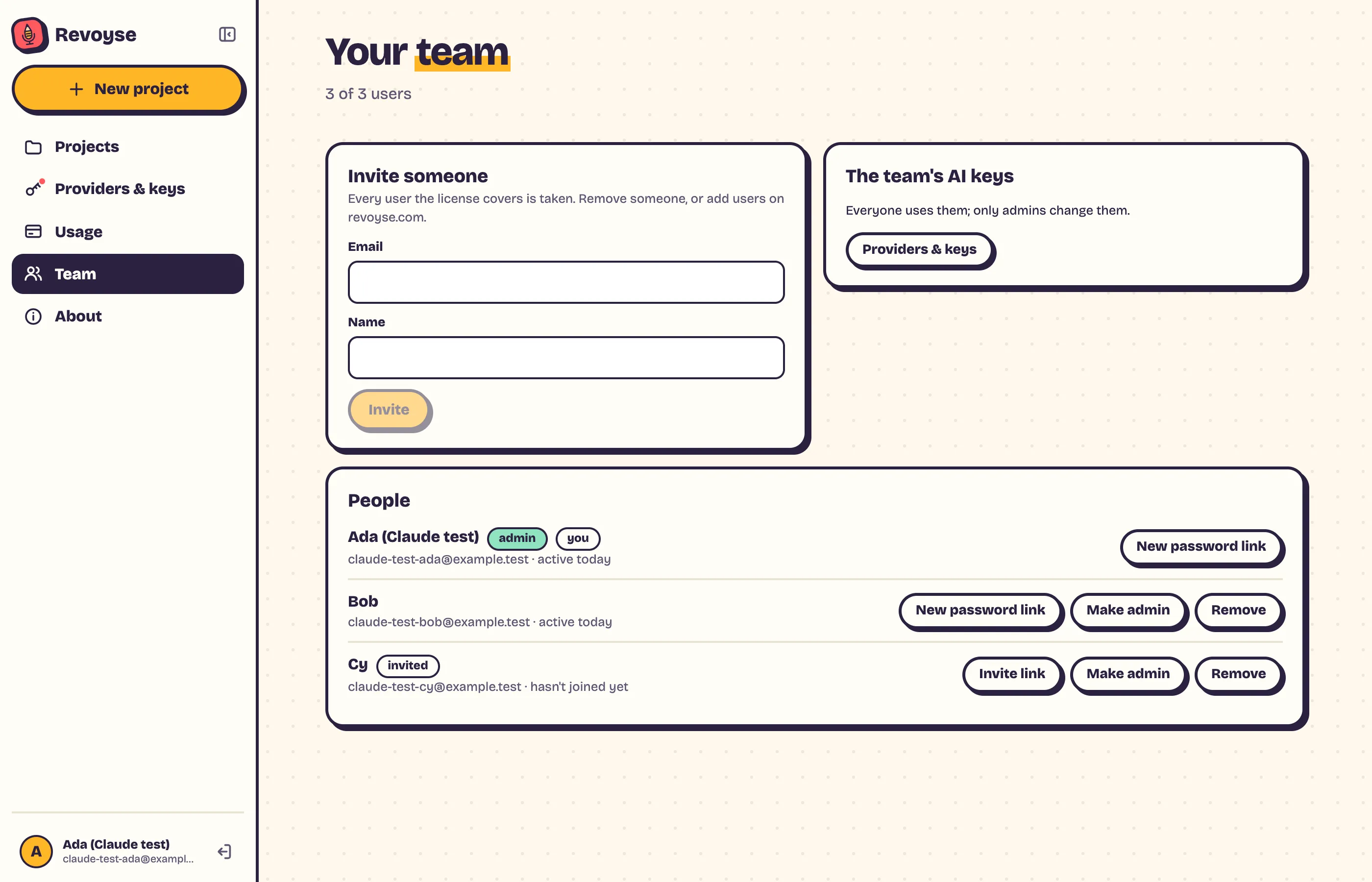
Inviting someone
Section titled “Inviting someone”Enter their email (and name), click Invite.
- With a mail server set (Email), they get an email with a link.
- Without one, the Team page shows the link: Copy it and send it to them however you like.
The link lets them choose their password and join. It works once, for 7 days. Until they join they show as invited.
Links for each person
Section titled “Links for each person”Each person on the list has a button for a fresh link:
- Invite link for someone who hasn’t joined yet (the old link stops working);
- New password link for someone who forgot theirs: it works once, for one hour, and signs them out everywhere else.
Admins
Section titled “Admins”Make admin or Not admin next to each person.
Removing someone
Section titled “Removing someone”Remove signs them out and they can’t sign in again. What they made stays the team’s. Their seat is free at once.